frequently asked questions
What is meshpage.org?
- meshpage.org is groundbreaking way to bring web to next level. Next generation web will be 3d with meshpage.org's technology.
How does the site work?
- DOWNLOAD: You download the builder tool
- CREATE: Create your powerful message with 3d technology
- CODEGEN: You get piece of c++-like code representing animation
- PUBLISH: place 3d engine to your web server
- ENJOY: Then open the animation in your browser
What are the advantages in your approach?
- OpenGL based software-only solution, so no need to buy a camera
- File size is very small. The file size is like 30 lines of c++ code,
instead of megabytes of video files
- It's based on "designing the future", instead of "recording the past"
- Displaying models works via URL's: normal web technologies are used to transfer animations to other computers on the planet
What are the disadvantages?
- Work amounts are higher than simply pressing "record" button in a camera.
- Designing 3d animations usually requires some planning
- The tool is slightly more complicated than we wanted
- Flexibility of the underlying software is always a problem
- End product sizes are pretty small, so you can't expect full length movie
as the output of this process
- Different animation models are very limited -- basically just translate/rotate
What to do if your hosting location has no php?
- comment out or remove display.php 4 lines at the beginning
- you will lose threads too.
- every .zip file distributed by meshpage.org has one of those display.php files with this issue.
What should I do to serve the files via http/3?
Chrome: chrome://flags -> experimental quic protocol -> enabled
What is the standard rendering pipeline?
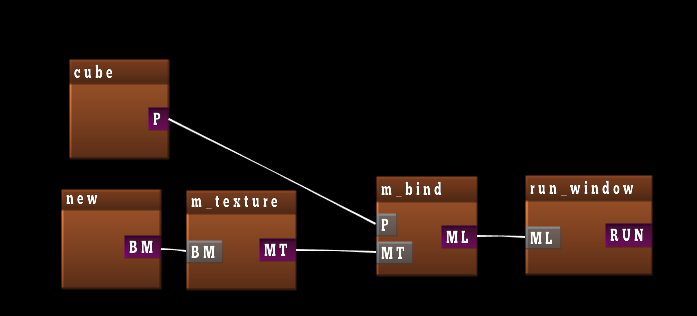
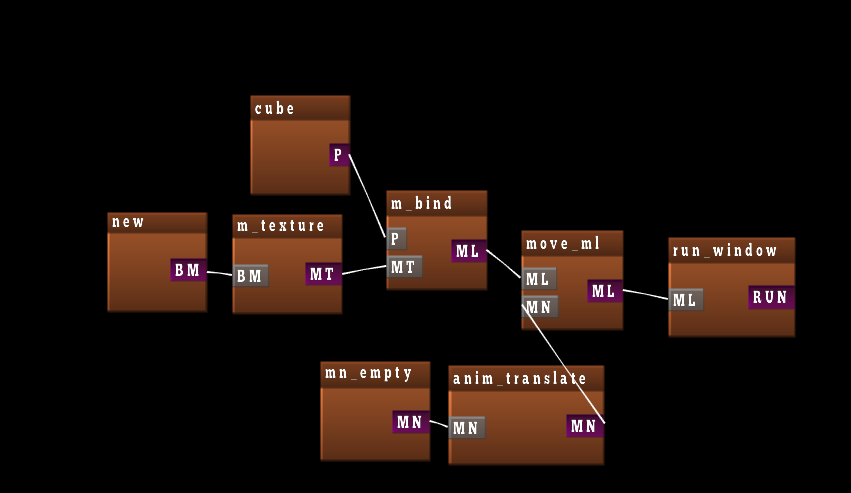
And if you want something to move on screen?
Is there a 3d model viewer that uses your engine?
Yes. It's
here
Useful other sites which you can drag and drop content to the viewer are at least:
Useful other sites with gltf viewing capability in web:
- modelviewer.dev
- sketchfab's 3d engine
- three.js
- meshpage.org's gltf_to_zip converter
- babylon.js
- playcanvas viewer
- loading the file in unity then using their webgl port
- loading the file in unreal engine using their webgl port
If I just want to deploy simple gltf file?
Check our gltf-to-zip converter at
Here.
When loading .obj file, I get some random triangles that do not belong to the model?
The engine works correctly. The obj file supports triangles, quads and
polygons. But some external tools that create .obj files insert random
polygons to the file to discourage rendering of polygons. We consider
polygon rendering is important feature, and our engine should support
it by default. If you have problems, we have disable_polygons()
feature in the engine to get rid of the trash. But real solution is to
change the tool you use to create the .obj file/check the .obj file
that it doesn't contain random (invisible) polygons that do not render
in competing 3d engines. Our engine does not have the performance
problems normally associated with polygons, given that
triangle/quad/polygon type change does not cause additional draw
commands to the opengl rendering.
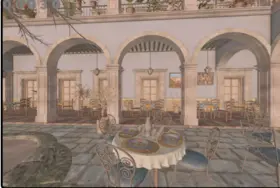
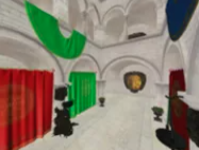
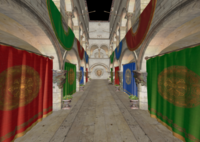
GLTF standard organisation made significant mistake when specifying GLTF file format, given that they do not support quads and polygons any longer. They're trying to conform tool vendors who explicitly break other people's 3d engines and tools instead of trying to do it properly (and possibly document the correct way to render polygons). HINT: correct way is to remove the feature that is misused, not the feature that was successfully broken by the idiots. i.e. they should remove possibility to _only use triangles_, instead of removing polygon feature. At current situation, detecting who is idiot is more important, and this is why our engine _enables polygons by default in .obj files_, so that when you see random bullshit polygons in obj files coming from some tool, you'll know which tool vendors are trying to break 3d engines. At least well known sanmiguel 3d model has this exact problem, and we had to use disable_polygons() to get acceptable render of the model.
The steps needed to render polygons are:
- mesh data structure needs to support mixing of triangles,quads and polygons
- all algorithms handling mesh data structure need to support it
- opengl rendering of the mesh data structure will need to divide the faces
to 3 separate arrays and pass them to opengl in 3 arrays. The algorithm to do this is 3 lines long(hint: polygons become triangle strips), so there's no reason to skip it's implementation and it does not cause perf problems.
The first 2 requirements are why most people cannot implement the
feature, after internet suggested decimating the feature. The
performance problem is normally in the 3rd requirement. The perf
problem is the only thing internet knows about, they're completely
silent of the first two requirements.
Now, if I got display.php, how do I embed it to my article
<iframe scrolling="no" src="display.php" width="830" height="630">
I want smooth transition from jpg/png/webp to the 3d engine
There's now a callback for that purpose
  Module.gameapi_cb = function()
   { var d = document.getElementById("img"); d.style="display:none"; }
How to convert from codegen script to mod.txt
gameapi-builder --script script.txt -o mod2.txt
gameapi-builder --file mod2.txt
What is the minimal node graph that can be deployed to web?

Important part for deployment is the properties of html_run, since it
contains url to your hosting space, which you need to change. This
ensures that any urls that you load inside the node graph can be
fetched from your hosting space. Unrestricted url access is not
allowed for copyright reasons.
Web server config(.htaccess) should be something like the following: (you should change the url)
Header set Access-Control-Allow-Origin "https://meshpage.org"
Header set Cross-Origin-Embedder-Policy "require-corp"
Header set Cross-Origin-Resource-Policy "same-site"
Header set Cross-Origin-Opener-Policy "same-origin"
Header set Access-Control-Allow-Headers "range"
Additionally, you should have in the page where iframe or embed is in, the following header definition:
  <?php
     header("Cross-Origin-Opener-Policy: same-origin");
  ?>
Apparently this needs to be in the page itself and not in the .htaccess to get SharedArrayBuffer and pthreads working.
Where do I get html5 zip file?
There's few options:
- gltf_to_zip webpage
- zip-button in the main web page
- right-clicking and choosing display in builder tool save_deploy node that is connected to html_run and further to run_window
What to do with the html5 zip file?
- upload to your web server
- create a directory
- unzip the html5 zip file to the directory
- figure out what url points to display.php file
- open display.php in your web browser to display it
- use <iframe scrolling="no" src="url/myzipdirectory/display.php" width="830" height="630"> in your web page of your choice.
How to setup http cache with the engine?
We recommend in .htaccess:
Header set Cache-Control "max-age=604800, immutable"
(this avoids small problem with browsers deciding different caching strategy for .wasm and .js files and serving mismatched files for the users, causing EM_ASM crashes)
What about compressing the huge engine files?
For nice performance speedup for network, you should enable brotli compression in the web server too:
.HTACCESS Changes:
AddOutputFilterByType BROTLI_COMPRESS text/xml
AddOutputFilterByType BROTLI_COMPRESS text/css
AddOutputFilterByType BROTLI_COMPRESS application/xml
AddOutputFilterByType BROTLI_COMPRESS application/xhtml+xml
AddOutputFilterByType BROTLI_COMPRESS application/rss+xml
AddOutputFilterByType BROTLI_COMPRESS application/javascript
AddOutputFilterByType BROTLI_COMPRESS application/x-javascript
AddOutputFilterByType BROTLI_COMPRESS application/wasm
AddOutputFilterByType BROTLI_COMPRESS application/x-font-opentype
AddOutputFilterByType BROTLI_COMPRESS text/plain
<files *.wasm>
SetOutputFilter BROTLI_COMPRESS
</files>
<files *.ds.*>
SetOutputFilter BROTLI_COMPRESS
</files>
<files *.ds>
SetOutputFilter BROTLI_COMPRESS
</files>
<files *.data>
SetOutputFilter BROTLI_COMPRESS
</files>
AddType application/wasm wasm
AddType application/x-gameapi-binary ds
AddType text/plain mtl
AddType application/x-font-opentype otf
Then /etc/apache2/sites-enabled/000-default.conf probably should have:
       <IfModule mod_brotli.c>
        AddOutputFilterByType BROTLI_COMPRESS text/html text/plain text/xml text/css text/javascript application/javascipt application/wasm application/x-javascript
	</IfModule>
	<IfModule mod_headers.c>
	RewriteCond "%{HTTPS:Accept-encoding}" "br"
	RewriteCond "%{REQUEST_FILENAME}\.br" "-s"
	RewriteRule "^(.*)\.(wasm)" "$1\.$2\.br" [QSA]
	RewriteRule "^(.*)\.(ds)\.(..)" "$1\.$2\.$3\.br" [QSA]

	RewriteRule "\.wasm\.br$" "-" [T=application/wasm,E=no-brotli:1]
	<FilesMatch "(\.wasm\.br)$">
	  Header append Content-Encoding br
	  Header append Vary Accept-Encoding
	</FilesMatch>
	<FilesMatch "(\.ds\...\.br)$">
	  Header append Content-Encoding br
	  Header append Vary Accept-Encoding
	</FilesMatch>
	</IfModule>
Then you need brotli packages:
  sudo apt install brotli -y
  sudo a2enmod brotli
  sudo systemctl restart apache2


What technologies are you using to provide the features of the site?
- C++
- php
- OpenGL
- SDL2
- glew
- emscripten
- libfreetype
- stb_image
- openvr
- holoplay
- tiny_gltf
- draco
- opencv videofile
- (normal browser environment)
In addition to these external stuff, we have internal development in the following modules:
- GameApi
- GameApi Builder/editor
- web_page
- mesh-page
- iot_main
- parser2
What kind of features are available in the base system?
- OpenGL instancing
- 3d mesh data structure
- triangles/quads/lines/cones/spheres/cubes/torus
- colours/normals/texture coordinates
- materials like snow/brashmeta/web/distance fields
- shading
- animations/movement/matrices
- skeletal animations
- vertex animations
- recursive shapes/trees
- waveforms
- volumes
- 2d and 3d rendering
- sprites / bitmaps
- circles/rectangles/triangles in 2d
- fonts/text rendering
- etc..
Why do tool menus not do anything?
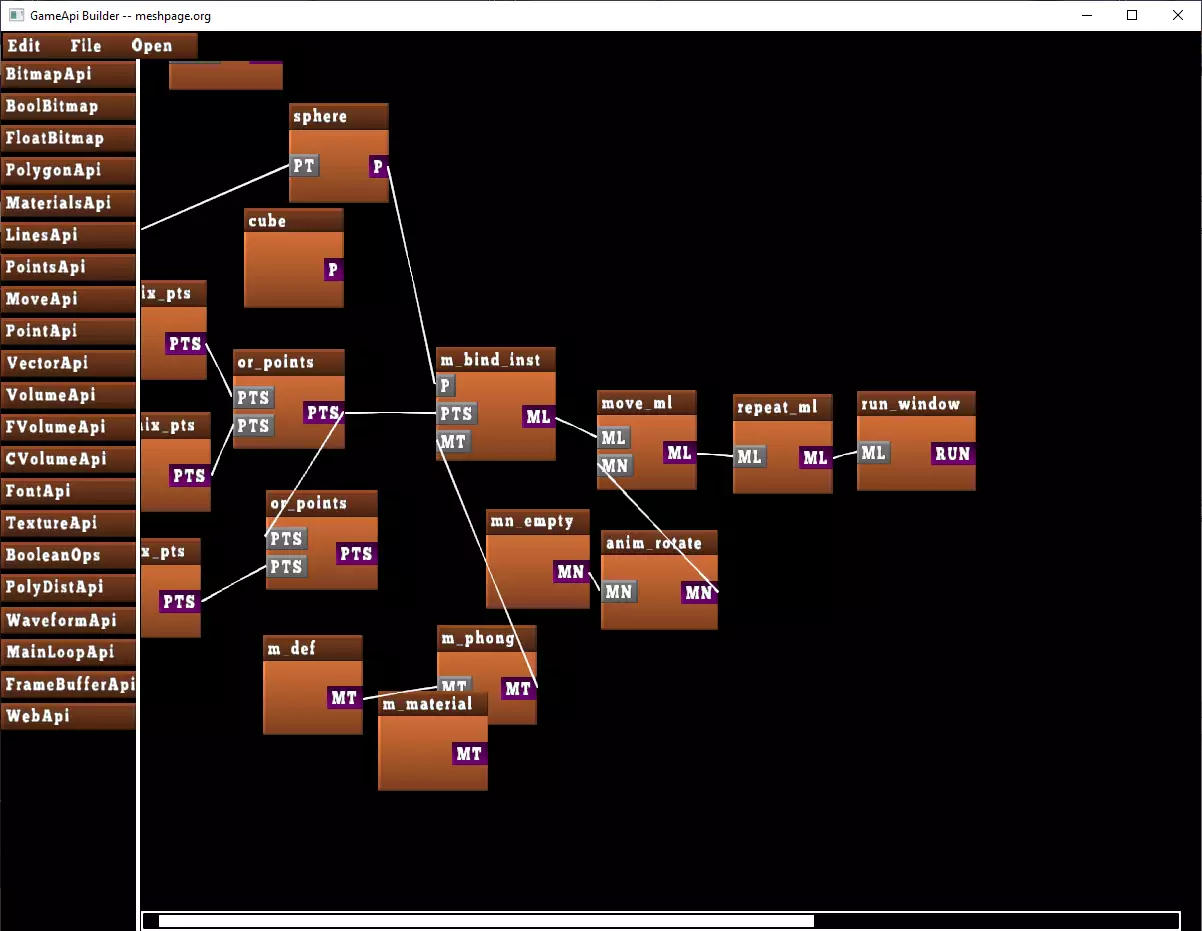
- you can link boxes whenever the labels match
- display menu from right mouse button is disabled until linking has been completely done from the left side of the boxes -- this is because left side is inputs, and right side is outputs, and all inputs need to be available for box to work correctly
What keybindings are there in the tool?
- ctrl-s saves the data to mod.txt
- 'a' rotates the model in most dialogs under "display"
- 'd' rotates the model in most dialogs under "display"
- delete (in box title bar) deletes the box
- esc exits the application
- esc (in blk_window) exits the full screen mode
Trackpads, touchpads and drawing tablets do not work with the technology?
This is known problem, but we don't have solution to the problem. The emscripten_set_wheel_callback() function sends events
that are not suitable for getting the trackpad to work properly. In ubuntu, we've found that changing settings in gnome and
disabling "two finger scroll" and enabling "edge scroll" can help it a little, but our current recommendation is to disable
the trackpad's completely from gnome settings.
The main problem is visible in zoom feature, when mouse wheel is being mapped to the zooming of the 3d models. The trackpad's
are not able to simulate mouse wheel accurately/consistently enough and we were unable to figure out why gnome's "two finger scroll"
sends always positive deltaY, when both negative and positive values should be available in the callback.
We haven't checked what needs to be done to get trackpads working in windows.
What tools you should try immediately?
- m_snow, m_flat for shading
- anim_translate/anim_rotate for movement
- move_ml for movement
- seq_ml for moving from one scene to another
- cube/sphere/cone/torus for basic shapes
- p_render/m_bind for basic rendering
- p_render_inst/m_bind_inst for OpenGL instancing
- li_from_polygon/li_to_cone/random_quad for some amazing effects
- static_instancing/ms_static_inst for cpu side instancing
- blk_window and MainLoopApi features to finish your product
I get browser crashes when loading your web site in windows machines
Here's steps to fix some webgl2 problems in windows:
- about:flags -> angle graphics backend -> opengl
It seems the default d3d11 webgl2 backend is somewhat broken, but happily
its possible to fix the problem by using the opengl backend.
I get error while loading the animations
- With new pthreads support in the site, browser settings need to be changed
- Chrome users: chrome://flags should have webassembly pthreads enabled
- Firefox users: about:config shuold have shared.memory=true
What browser should I use?
On my laptop I get the following benchmarks(this test:
here(
- some users have reported 700fps, but with high-end video card
- Brave browser gives about 147fps
- firefox is 54fps
- Chrome is at 30fps
What does blogs think about our site?
- mediaisnothingtomebutistilllikeit blog